An unofficial Android app for Zero electric motorcycles running Cypher III.
Scheduled charging that works. Choose the days and the hours to charge, and the bike gets the schedule you meant. Zero's app can't save the times at all.
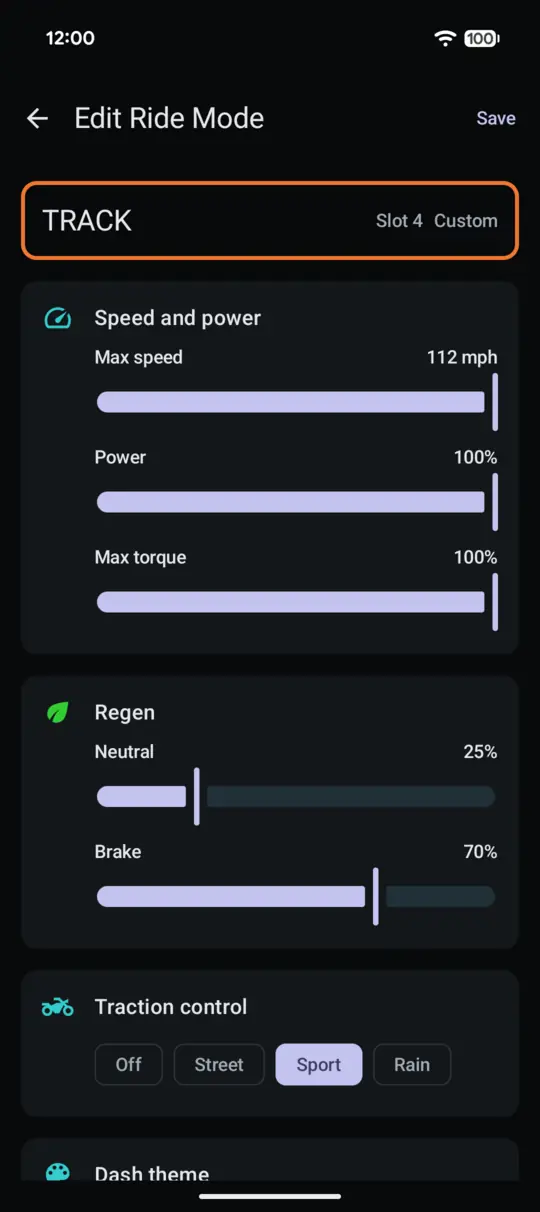
Your own ride modes, in any of the five slots. Arrange all five however you like. Zero's app can only replace the fifth.
Rides recorded start to finish. The app stays connected. If the Bluetooth connection to the bike drops, it reconnects and carries on. In Zero's app, the first dropped connection ends the recording.
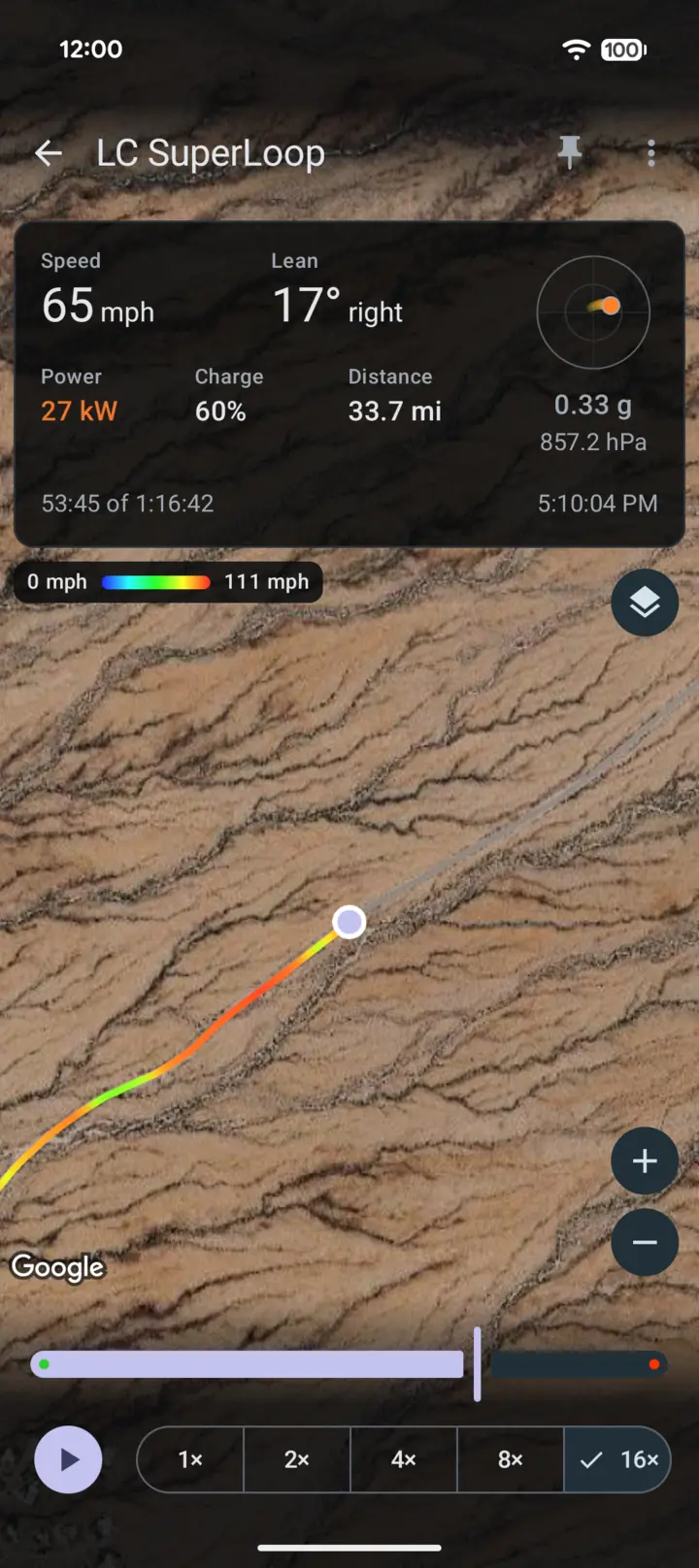
Relive your rides. Any ride replays on the map at up to 16× speed, with your speed, lean angle, g-force and power.
It also saves your last ten rides, not just one, shows the bike's actual charge target, lets you put any gauge in any dashboard quadrant and can automatically record your rides without ever opening the app. It's built from scratch and it's been running on my 2023 Zero DSR/X since October 2026.
I bought my DSR/X in 2023. Two critical parts of the Zero NextGen app haven't worked well from the beginning. Scheduled charging's time wheels misbehaved badly enough that setting a schedule was guesswork, and ride capture tended to stop partway through a ride.
Both turned out to have simple causes in the app. A copy-paste bug sends the charging times to the wrong wheel on the schedule screen, leaving the other one stuck at (ironically) zero. And ride capture stops for good at the first disconnect, which the bike's short 540 ms connection timeout makes common.
I've been building Android apps since 2011, back when Google Play was still the Android Market, and my day job is in device security. Working out exactly how an app talks to a bike, then building a client of my own from scratch, is how I entertain myself.
FST ReGen follows the same playbook as all my other apps: the architecture, build setup and test stack I've refined over a decade of shipping Android apps, along with my own rules for security, dependencies and testing on real devices.
The name
FST is the code name for the DSR/X's platform. Regen is what an electric vehicle does when it recovers energy. Put them together and you get FST ReGen: a regenerated take on the Zero NextGen app.
Study the app16 October 2026
Before anything touched a $25,000 motorcycle, I studied Zero's app for how it frames, sends and reads every setting via Bluetooth LE. That gave me a prediction of exactly how the bike would respond.
Watch it talk
Android's Bluetooth snoop log watched Zero's app talking to the bike, and the predictions held, right down to a test frame that showed up byte for byte.
Predict every write
Once read-only testing had earned my confidence, it was time to fly. Every write was predicted byte for byte before I pressed the button. To see what the bike did with them, I downloaded its own event log and decoded it with the community's zero-log-parser. By the time FST ReGen wrote its first ride mode to the bike, it could download that log itself.
Build FST ReGenfrom 18 October 2026
Written from scratch, using Android's native Bluetooth APIs, in the architecture I use for all of my apps. Every new piece of code was tested on both a mock and an actual bike, in the garage and on rides.
Three weeks later6 November 2026
220 commits and about 40,000 lines of Kotlin in three weeks of spare time, with an AI assistant doing the tedious work. I do have a day job, after all. The slowest part of the entire process was usually me walking out to the garage.
The app, in five tabs
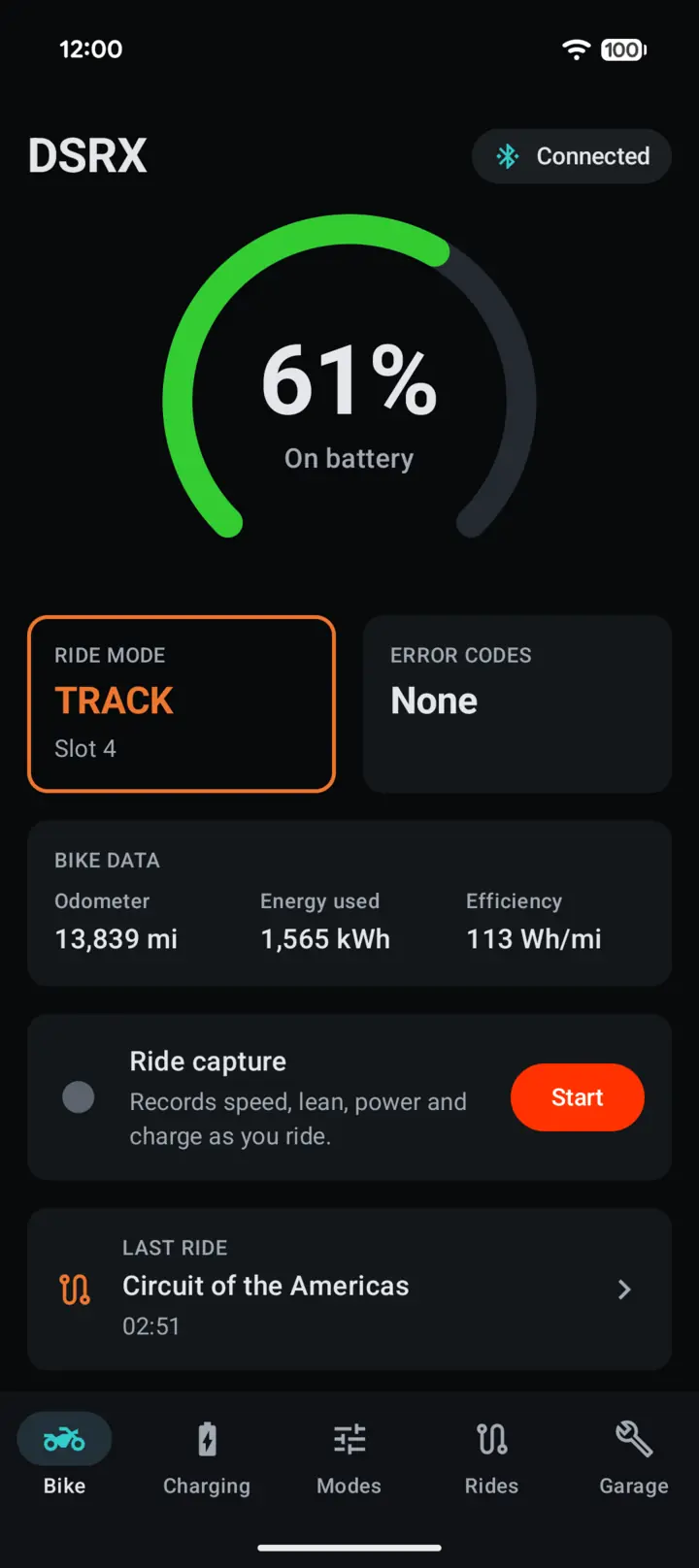
BikeCharge, ride mode, error codes, odometer and energy
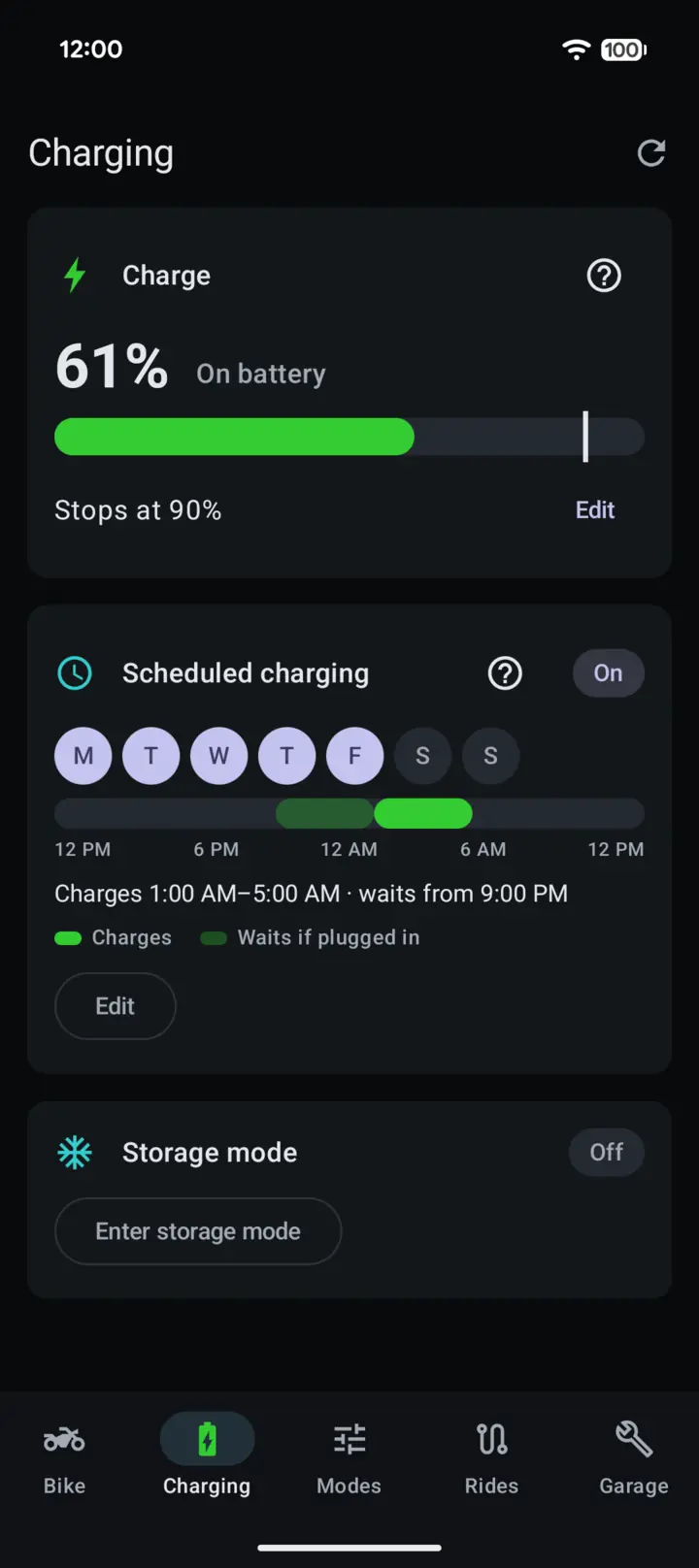
ChargingCharge target, schedule and storage mode
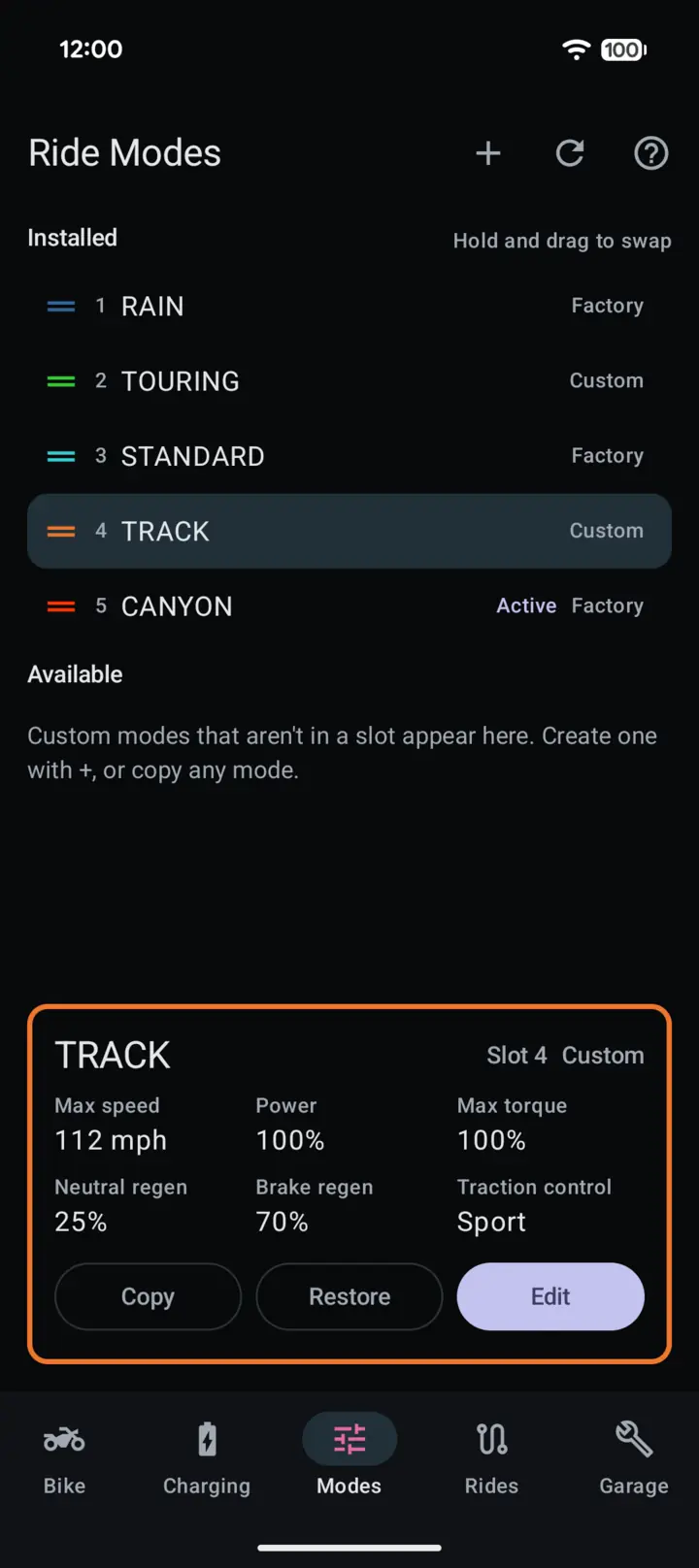
ModesThe bike's five ride modes, plus custom ones
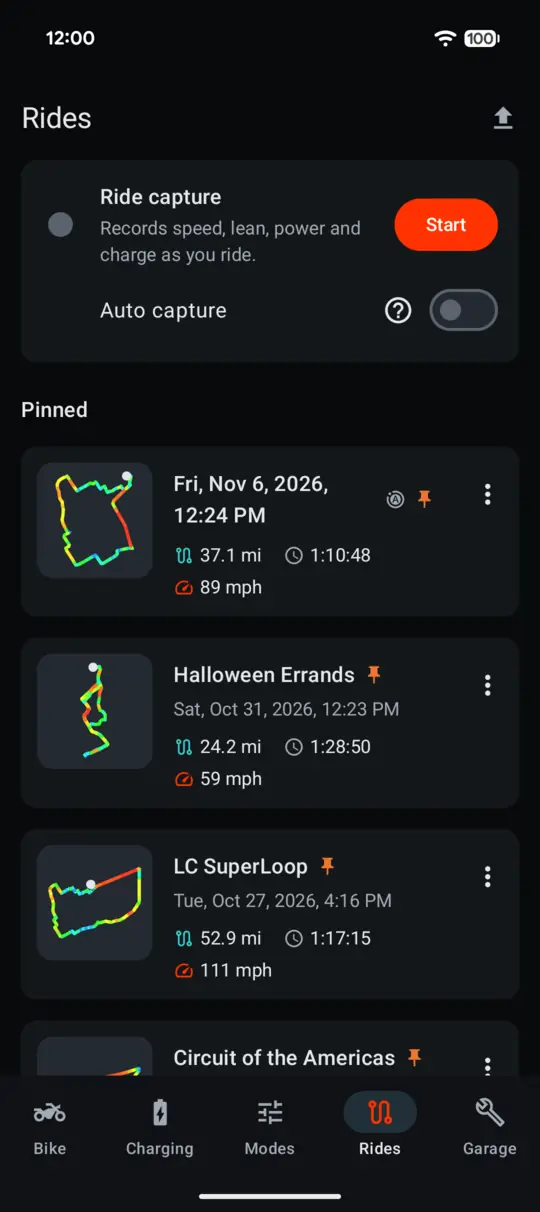
RidesRide capture, auto capture and Relive
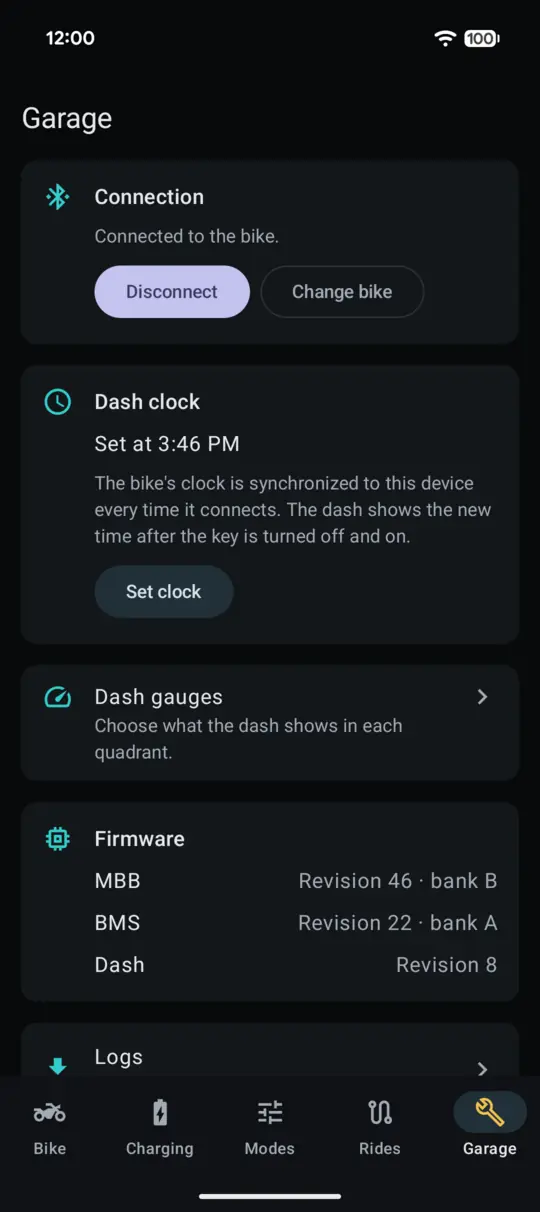
GarageConnection, clock, dash gauges and logs
What it does
Straight from the bike
FST ReGen asks the bike for its settings, rather than relying on a potentially stale copy cached to the phone. Every setting it writes is immediately verified by reading the setting back from the bike to make sure it was accepted. Along the way, it avoids various other bugs I found in Zero's app.
Charging
The bike's real charge target and schedule
FST ReGen reads the charge target and schedule from the bike itself, which Zero's app doesn't do. It shows the charge power and the bike's own time to target, and it can tell the difference between the bike charging and holding at its charge target.
Set the charge target from 30 to 95%, in 5% steps, or enable storage mode.
Schedule charging for the days you choose, with an intuitive, easy-to-understand clock interface.
A charging notification shows the bike's charge, time remaining, or that it's holding at its target, as a Live Update on Android 16 and up.
Modes
Ride modes, your way
FST ReGen reads all five ride modes from the bike itself, and marks which are factory modes. Modes can trade places between slots, and any slot can go back to its factory mode.
Custom modes each get their own top speed, power, torque, regen and traction control, and more than one can be deployed to the bike.
Nothing's sent until you say so. Changes are only marked until you choose to write them to the bike. Doing so sends all five slots and reads them back to check each one.
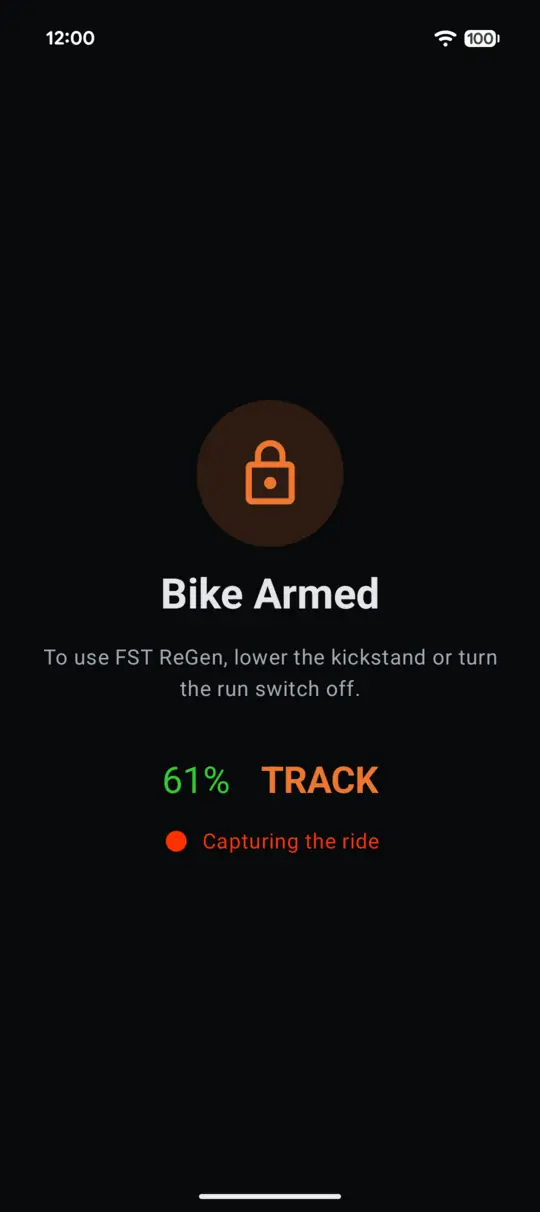
Safety first. The app only sends new modes while the bike is disarmed, and the dash shows a changed mode after a key cycle.
Bluetooth
A connection that stays connected
Ride capture's trouble comes back to the Bluetooth link. The bike asks for a short 540 ms timeout, and Zero's app never asks for anything longer. When the link drops, the app waits for a background scan, which Android throttles: on one ride, reconnecting took 11 minutes, another 15. And that's if it reconnects at all. FST ReGen's Bluetooth layer is built from the ground up around how the bike actually behaves.
A longer timeout, asked for at the right moment. Once the bike's own request is answered, the app asks Android for 5 seconds instead. That keeps the bike's real-time telemetry coming without a break.
It finds the bike by itself. It connects when Android sees the bike nearby, and starts reconnecting the moment a link drops.
Auto capture is the payoff. With a link this steady, the app can wait for the bike to arm, then start recording your ride by itself. When auto capture is enabled, just leave your phone in your pocket. As long as the dash shows the Bluetooth symbol, you can be confident the ride is being captured.
From my DSR/X, and Bluetooth captures of both apps.
Zero NextGen
FST ReGen
Connection timeout
540 ms
5 s
Ride data, while riding
every 12–41 s
every 1.2 s
A drop on a ride
ends the ride
reconnects and carries on
Downloading the logs
11 min 40 s
7 min 6 s
Rides
Rides, recorded and relived
Ride capture records the bike's speed, lean, power and charge, plus the phone's barometer, and keeps going with the phone asleep in your pocket. Take a break from the twisties for a recharge and the ride pauses. Turn the bike back on within an hour and it picks up where it left off.
Relive replays a ride at up to 16× speed, with its speed, lean, g-force, power, distance and the phone's barometer, over a full-screen Google map with the path drawn in its speeds' colors.
At the end, it sums the ride up: top speed, deepest lean, most g, peak power and charge used.
The last ten rides are kept, plus any you pin. Each can be renamed, or exported as JSON with everything recorded and shared with other FST ReGen users.
A built-in ride. One flat-out lap of the Circuit of the Americas included with every install. So there's something to Relive on day one, even if you don't have a Zero.
The bike at a glance
The charge, ride mode, odometer as the dash shows it, and lifetime energy and efficiency, all on one screen. They're remembered too, so they still show when the bike isn't connected.
Error codes, kept
The bike only reports each error code once, so FST ReGen checks every time it connects and every time you park. It saves every code on your phone and explains it in plain English: what it means, what to do, and whether it turns on the check-engine light.
Dash gauges
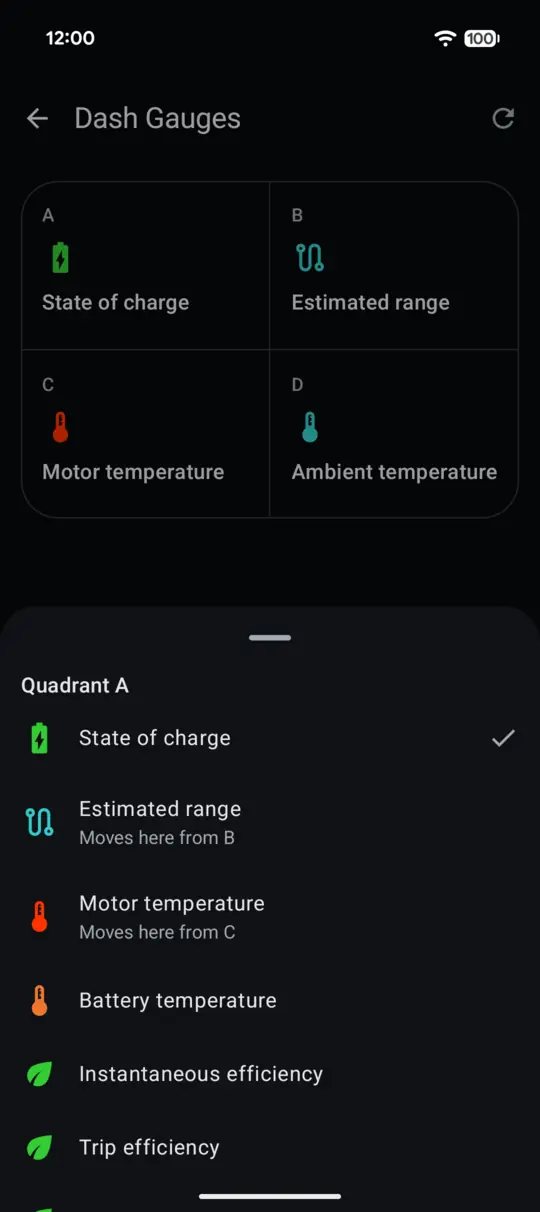
Choose which four gauges your dash shows, and put each one in any quadrant, just as Zero's owner's manual says you can. The dash updates right away.
The bike's logs
FST ReGen downloads the event logs from the bike's main board and battery, faster and more reliably than Zero's app does. They can be exported or deleted afterwards.
The bike's clock
The app sets the bike's clock and time zone from the phone on every connect, so the charge schedule, which runs on the bike's local time, keeps up with daylight saving.
Your rides stay on your phone
FST ReGen has no account, and the only thing it loads from the internet is Google Maps. Rides go into your phone's backup only when that backup is encrypted so only you can read it, and the bike's logs never go to the cloud.
More of the app
My rides
Dash gauges
Garage
Editing a custom ride mode
Bike Armed
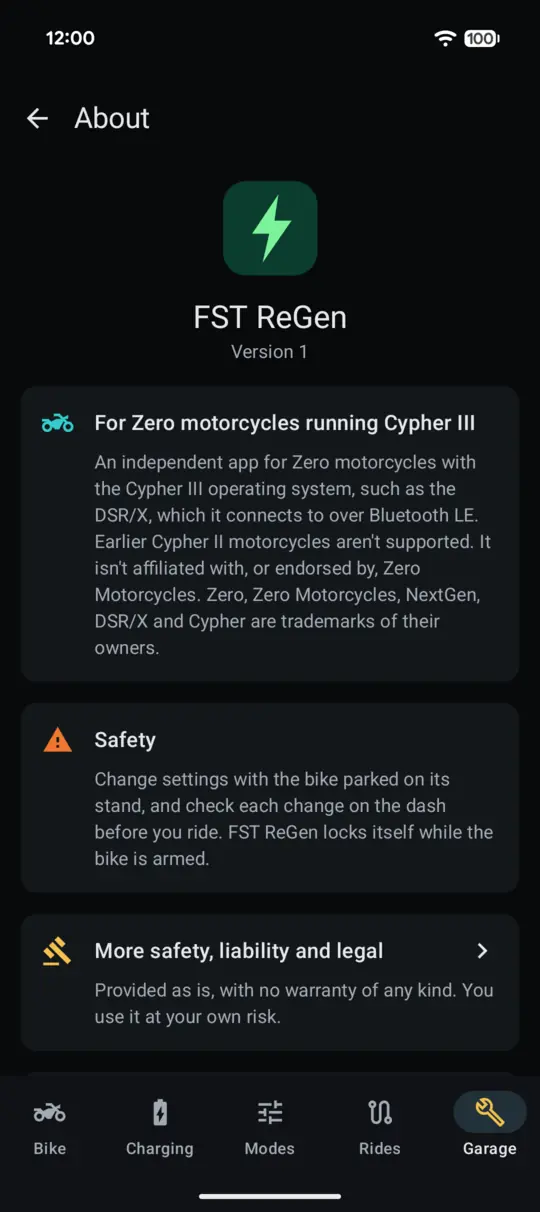
About
Read this first
Safety, liability and legal
I'm not a lawyer, and nothing here is legal advice. If any of it matters to you, don't use FST ReGen until you ask one.
This app modifies a motorcycle
FST ReGen reads and writes settings on your motorcycle: its clock, its charging, its ride modes and its dash. Those writes can change how the bike rides, and how, or whether, it charges. The bike checks or limits most of the values it's sent. Even so:
Make changes only with the bike parked on its stand.
Check every changed setting on the bike's dash before you ride.
Never use the app while riding.
No warranty, at your own risk
FST ReGen is provided "as is", with no warranty of any kind, express or implied. It was built and tested with one bike, one firmware version and one version of the Zero NextGen app, and your bike may behave differently.
You use FST ReGen entirely at your own risk. To the fullest extent the law allows, I'm not responsible or liable for any damage, loss, injury or cost arising from your use of it, however caused.
Your warranty and Zero's terms
Using unofficial software with your motorcycle may affect your warranty or your dealer's willingness to service it. Zero's app and services come with their own terms. Check both, with Zero or your dealer, before you rely on FST ReGen.
Reverse engineering and the law
FST ReGen communicates with the bike via a protocol decoded on my own motorcycle, for interoperability purposes. It contains no Zero code, firmware or other copyrighted material. Laws on reverse engineering, interoperability and vehicle modification differ between jurisdictions, and making sure that what you do is allowed where you live is your responsibility.
Private alpha
Join the alpha
FST ReGen's alpha is on Google Play, by invitation. You'll need a Zero with Cypher III, an Android phone running Android 13 or newer, and the Google account you use for the Play Store on that phone.
Agree to the terms
Read Safety, liability and legal, above. Asking to join means you've read it and agree to it, including that you use FST ReGen entirely at your own risk.
Ask to join
Open the FST ReGen group on Google Groups, signed in with that Google account, and ask to join. In your request, tell me your bike's model and year. Google Play only allows access to the alpha from the account that's in the group, so any other address won't work.
Wait for me to approve it
I review every request myself to ensure the best possible experience.
Opt in and install
Once you're in, open the opt-in page signed in with the same account and accept, then install FST ReGen from Google Play.
Asking to join shows me your Google account's name and email address, along with what you tell me about your bike, and nobody else in the group can see them. Send feedback to apps@banasiak.com.